This is an old revision of the document!
Table of Contents
Audio
The AV setup touches on
Read first!
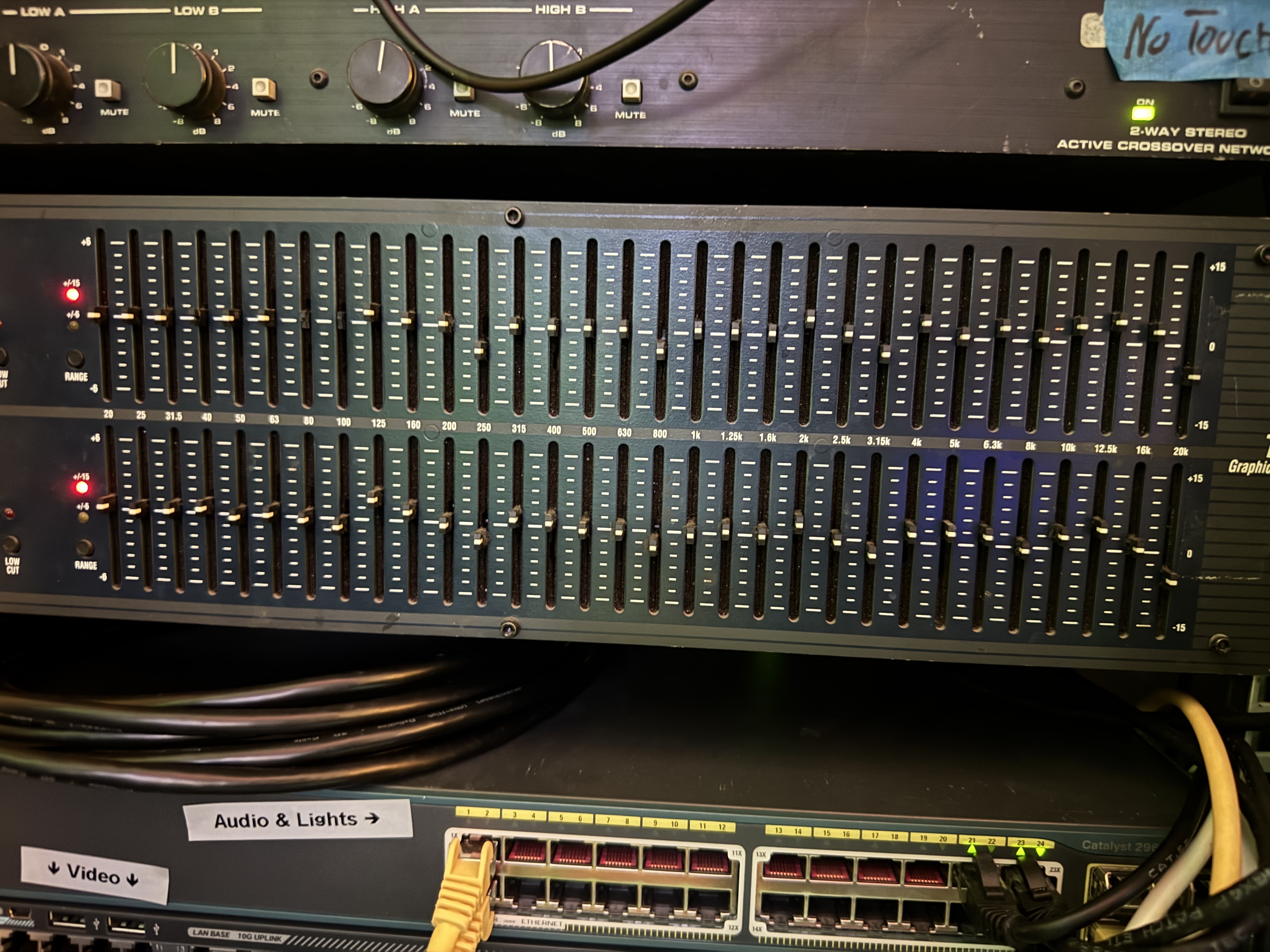
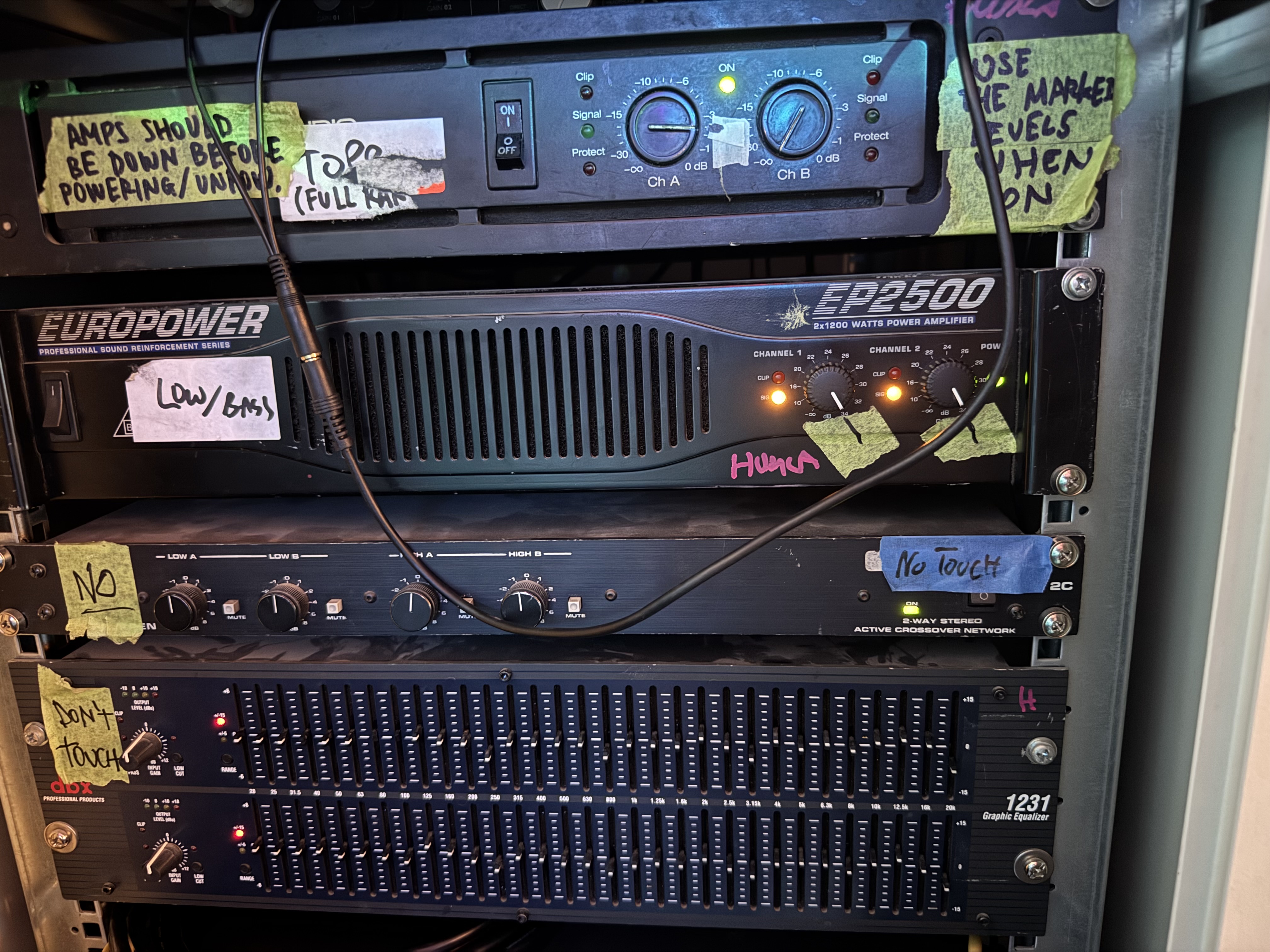
The amplifiers, crossover and parametric equalizers are properly normalized to a uniform audio source.
This has been validated over the Dante XLR inputs, Hack-Radio AirPlay, and Hack-Radio MPD.
Do not adjust the amplifiers, the crossover, or the parametric EQ.
Mixer
Some quick guidelines for new users:
- The gain knob should NEVER be used as a volume knob; see the section further down
- Faders go from -Infinity dB to -0 dB; think of this as 0% and 100%, with everything above BOOSTING the audio
- The master fader will limit all your other channels; set the master to the max you want for this listening session, then gradually use the channel fader to introduce your audio onto
- The mute buttons cuts a single channel off; DO use mute buttons, and DO check them (pressed == muted, depressed == unmuted)
- The solo buttons cuts all OTHER channels off; DO NOT use mute buttons (pressed == solo, depressed == normal)
- Does the top right of the mixer blink red? Solo is on somewhere; turn all channels down, find the active solo buttons, and unpush them.
Channel layout
Want to hook something up? If a channel is physically unlabelled, then it's free!
The following channels are currently in use:
- Ch. 3-4: TG:HACK Dante
- Ch. 9-10: Hack-Radio project pi
- Ch. 13-14: TV
- Ch. 15-16: Chromecast
Dante
We have a borrowed set of professional audio Dante receivers that are hooked up in the audio rack. These are owned by skandix from TG:HACK and labelled as such.
These are occasionally used during parties, or when we're borrowing the Matelight for use in e.g. Flerbruksen.
Hackeriet does not own any source devices. You are free to map sources onto these from the Dante control software, however the receivers themselves MUST be left untouched in the rack.
The same goes for the audio channels: Do NOT adjust the gain (should be NO GAIN) nor the EQ.
For more details on Dante, see dante.
Chromecast Audio
An older Chromecast Audio dongle is connected to the mixer. The dongle is in the bottom of the audio rack, and is regularly prone to unplugging due to short cables.
Chromecast Audio dongles are sensitive to its power source and may easily leak the USB clock onto the audio circuit as noise when powered by certain power sources.
The Chromecast Audio dongles output low audio levels, and must be gained up on the mixer NO MORE THAN 12 o'clock on the gain knob.
LedFX and Aux sends
The PC in the audio rack is hooked up to aux out 1+2 on the mixer. Specific audio channels can be forwarded raw to LedFX as desired, without affecting the master output.
This lets us e.g. receive audio from Flerbruksen and analyze it on our end, without (or with) playing the audio on our speakers
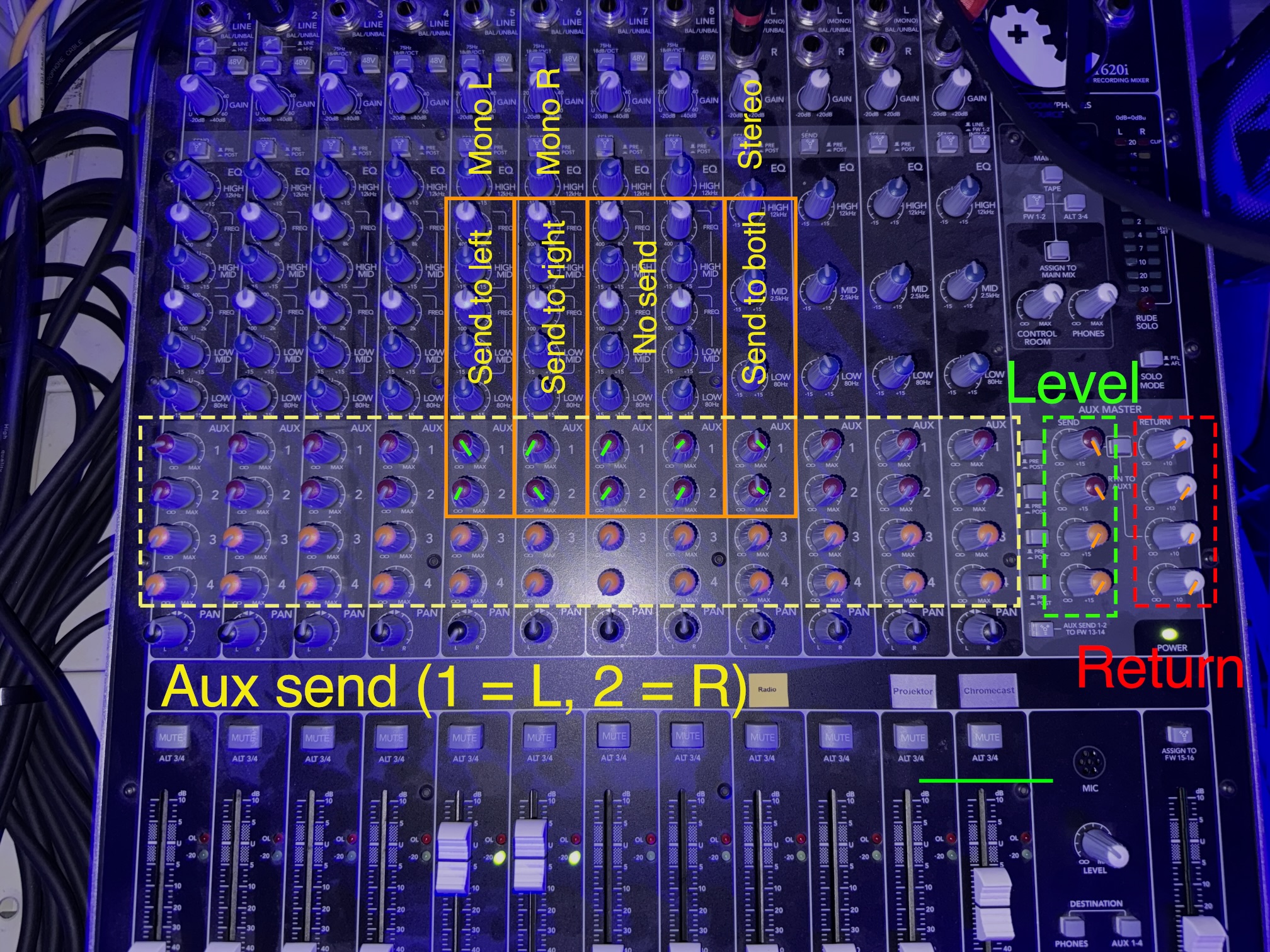
- Turn the aux send knobs to max for the channels that should be sent
- For stereo channel pairs: Send the left-panned channel to Aux1, and the right-panned channel to Aux2.
- For combined stereo channels: Send to both Aux1 and Aux2. The mixer fixes levels for us.
- Ensure the aux return is set to infinity for all knobs
- Ensure return to aux1 (between level & return knobs) is de-pressed
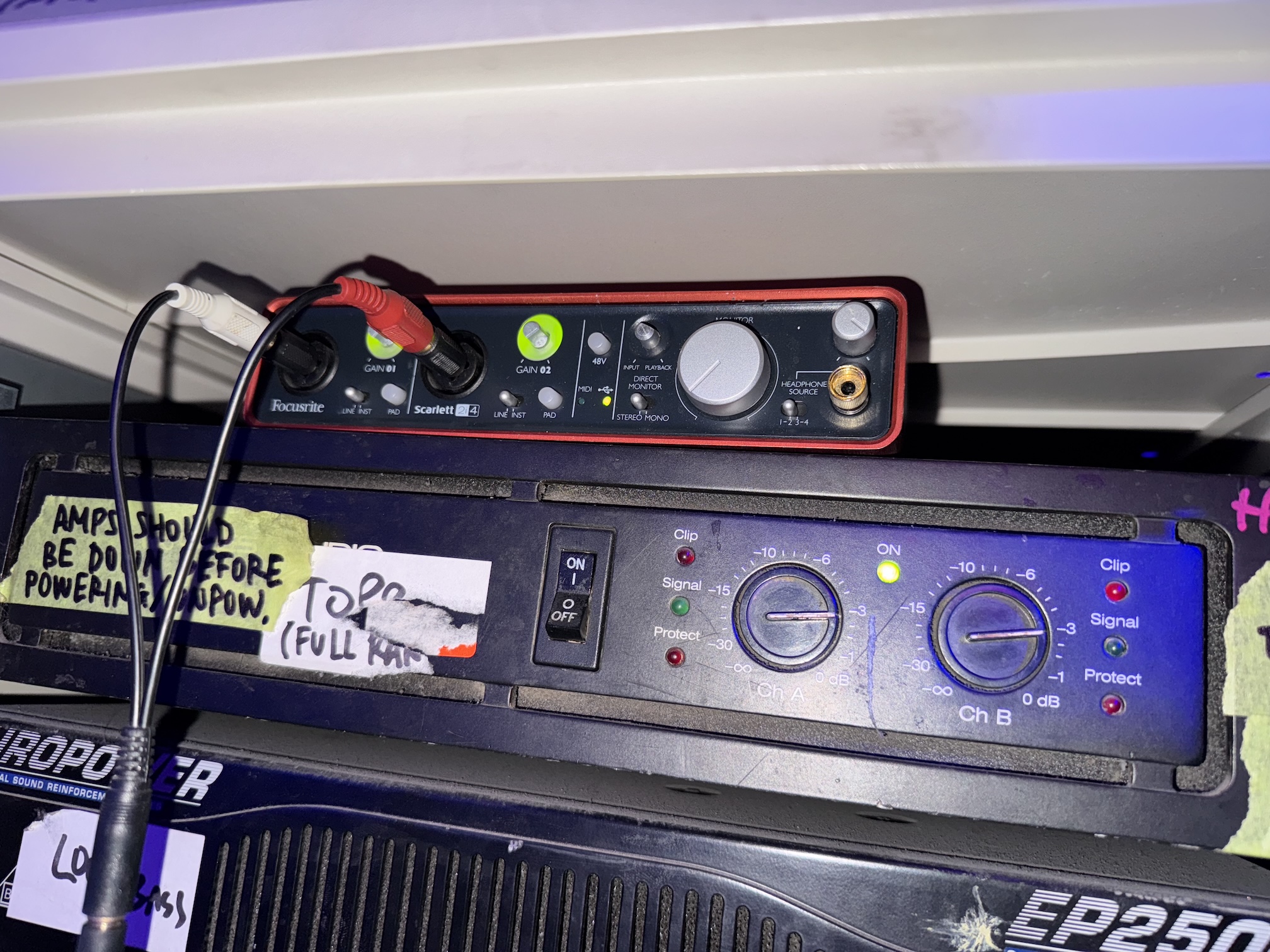
- Align the levels so that we do not redline the audio card in the mix rack (ring around the gain knobs on the Focusrite, see image below)
- The level knobs on the mixer should be used if possible
- If those are maxed out, adjust the gain knobs on the audio card
Amplifiers
Parametric equalizer